One point.
A more connected business.
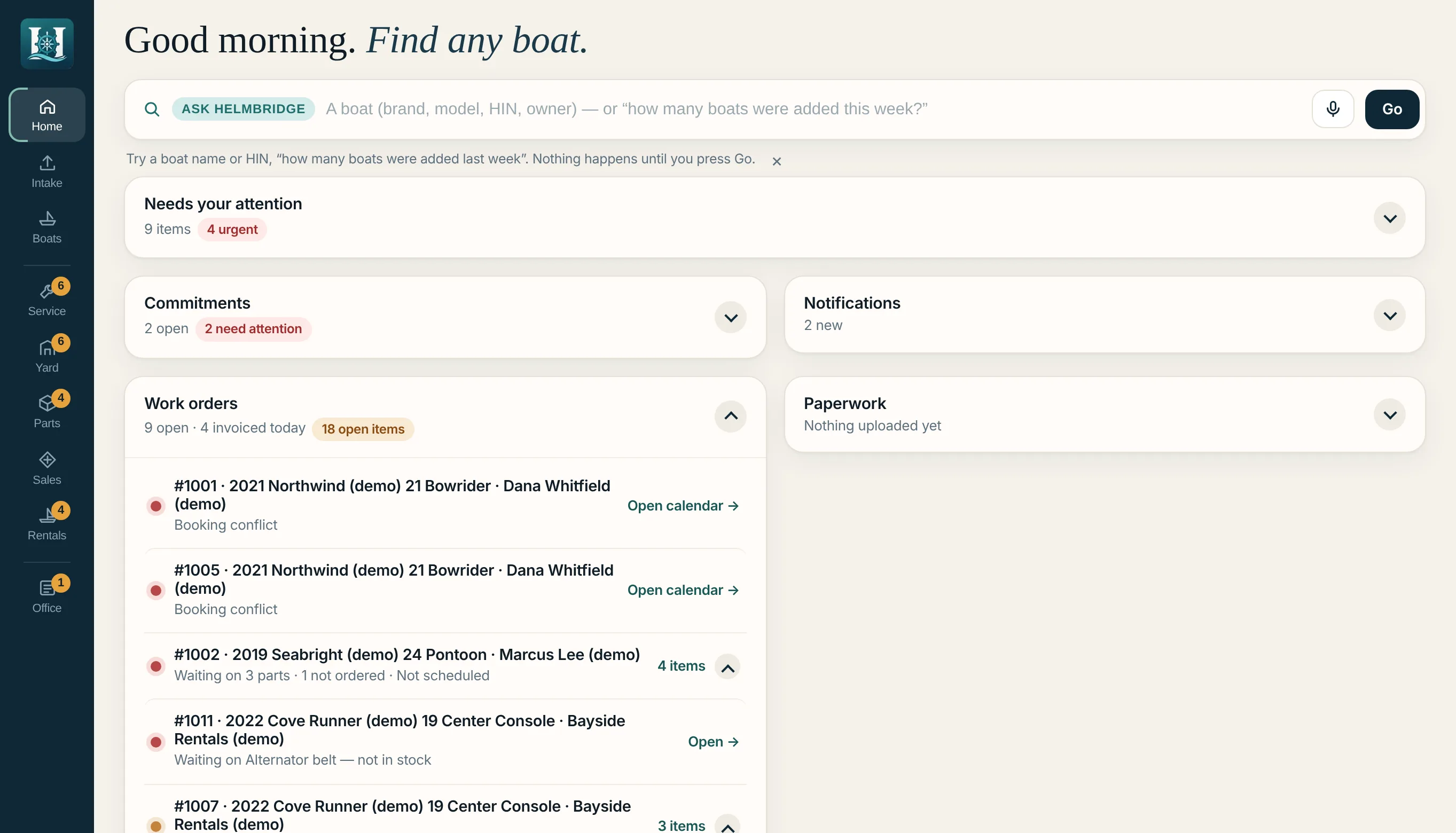
Ask HelmBridge brings your people, records and daily work together—in your own words. Find the boat, understand the work and take the next step.
 HelmBridgeFictional demonstration records
 by AccordPoint Systems
A question.
An answer you can work with.
The real application. Real workflows. Fictional demonstration records.
“What work orders
are waiting on parts?”
A question that crosses the shop, the parts counter and the customer record.
Ask HelmBridge brings them into one answer: the job, the customer, the boat, the outstanding parts and the earliest expected date.
The result connects each work order to its boat, customer and outstanding parts. Open the work-order link to inspect the underlying record.
Explore Ask HelmBridge →CAPTURED FROM HELMBRIDGEDevelopment applicationThe boat has a record.
It also has a place.
Docks. Moorings. Launch staging. Lots. Racks. The service shop.
See the yard in the shape your crew knows.
See the areas and occupancy.
The map shows counts by area. Search for a boat to see its recorded position.
Follow the yard's next move.
Haul-outs, launches, storage and winterization sit alongside the crew's work and review steps.
Keep the boat connected.
The same boat record carries its customer and work context into the next department.
INSIDE HELMBRIDGE / INTAKE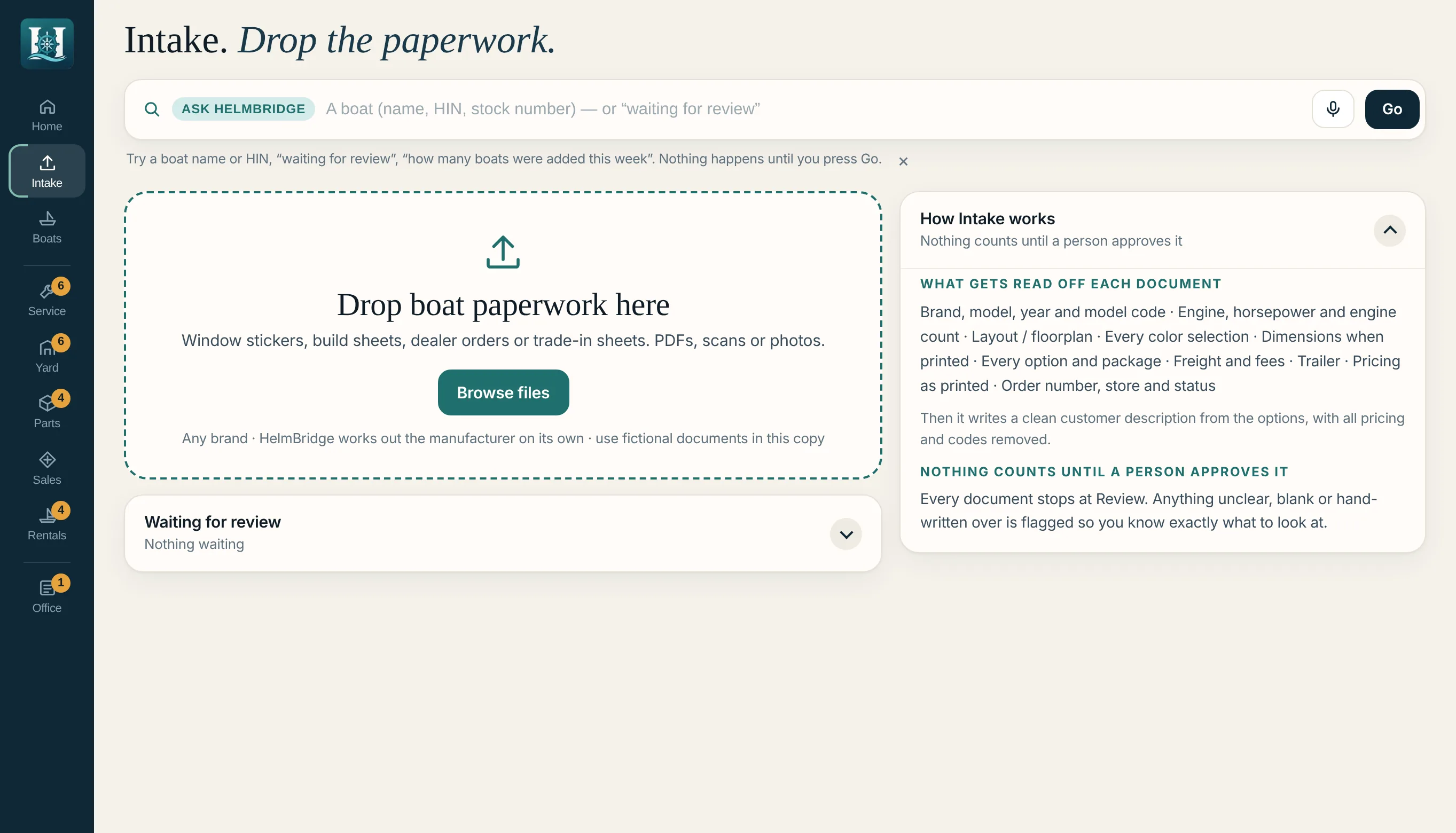
The paperwork
is a starting point.
Not another re-entry job.
A window sticker. A build sheet. A dealer order.
Bring in the PDF or photo. Review the extracted details alongside the original before approval. Start the boat's record with a source your team can inspect.
See the Intake workflow →Learning the software
should happen
inside the software.
Guided lessons on the actual screens.
The development application includes step-by-step lessons with practice data. Each step points to the relevant control; completing it moves the lesson forward.
Getting started covers Ask HelmBridge, adding a customer and bringing in a boat from its paperwork. Department lessons are available from the same lesson panel.
See the lessons in a walkthrough →Follow the work
through HelmBridge.
The detailed tour shows each workspace, its records and its handoffs.
Know what you're
coming to see.
Bring the workflow that slows your team down. We'll use it to frame the conversation.
What will we see in a walkthrough?
Ask HelmBridge in the working development application: finding records, starting supported tasks and following the related department workflow. We'll discuss current capabilities and what would need to be evaluated for your operation.
Who is HelmBridge built for?
Marinas, boatyards and marine dealerships with work crossing Service, Yard, Parts, Sales, Rentals and Office. The product tour lets you explore each department before we talk.
How does Ask HelmBridge relate to the rest of the software?
Ask is the plain-language way into HelmBridge's connected records and supported actions. The department workspaces remain available for schedules, work queues, detailed records and review.
Can we use our existing systems and information?
Bring a list of the systems you rely on. Connections, data access, migration and rollout requirements need to be scoped directly. A walkthrough is the starting point for that evaluation.
Can we try it right now?
HelmBridge is in active development. Guided walkthroughs are available; the self-guided demo is coming soon. The product screens on this site use fictional demonstration records.
Bring us the task.
See how it connects.
A customer call. A service handoff. A part the shop is waiting on. Start with the work your team knows.
Book a walkthrough ↗Email [email protected] with your operation and the workflow you'd like to explore.
What we'll walk through
- 01Start with Ask HelmBridge
Explore a question or supported task in the working application.
- 02Follow the connected work
See the boat, customer and department context behind the request.
- 03Discuss the fit
Review current capabilities, your systems and the next evaluation steps.
Guided development walkthroughs are available now.